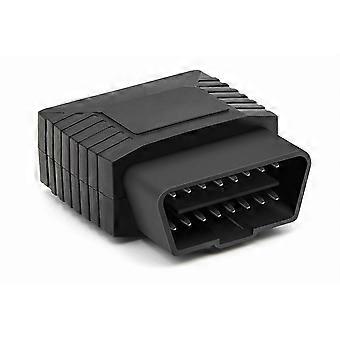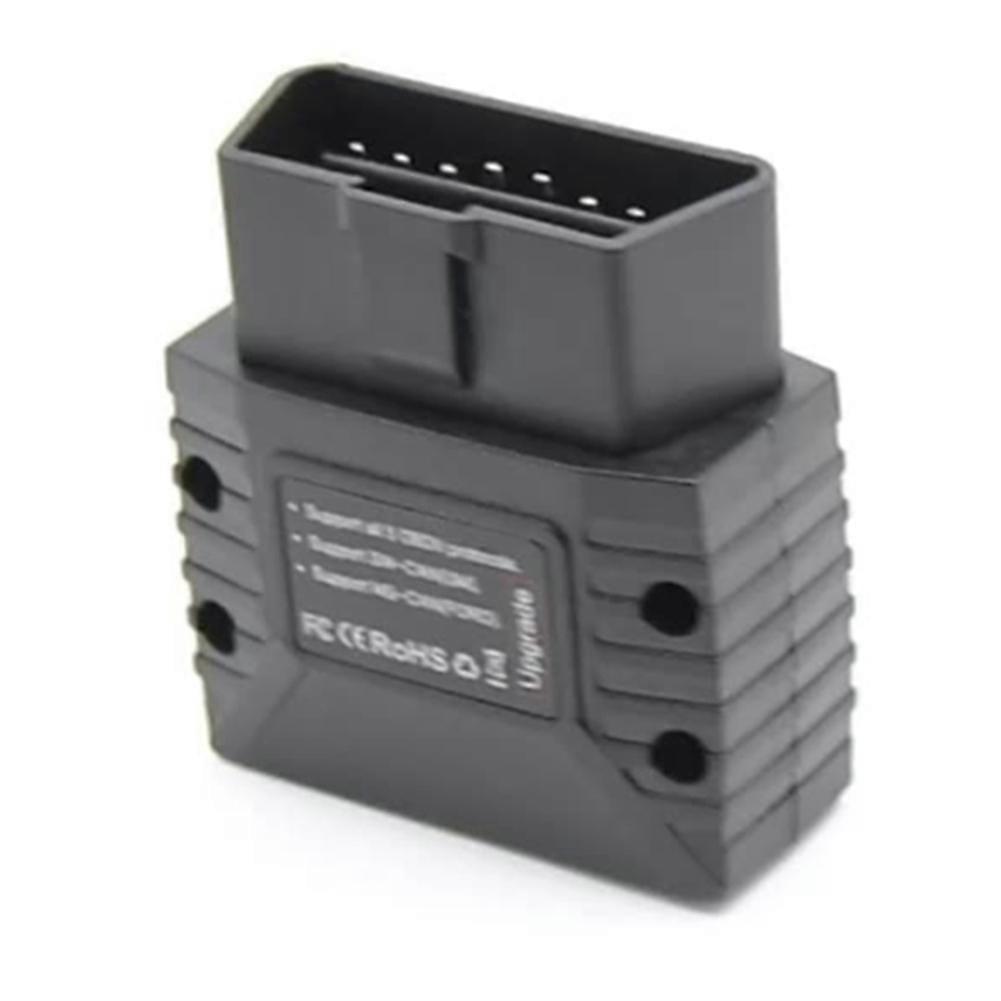
Automotive Fault Diagnosis Device for Vgate Vlinker MC+ BLE Bluetooth 4.0 Supports for Android and IOS Systems

₩89,490
+ ₩1,549 배송

Automotive Fault Diagnosis Device for Vgate Vlinker MC+ BLE Bluetooth 4.0 Supports for Android and IOS Systems

  • 브랜드: Unbranded

Automotive Fault Diagnosis Device for Vgate Vlinker MC+ BLE Bluetooth 4.0 Supports for Android and IOS Systems

  • 브랜드: Unbranded
가격: ₩89,490
판매자::
₩89,490
+ ₩1,549 배송

재고 있음

다음의 결제 방식을 사용하실 수 있습니다

설명

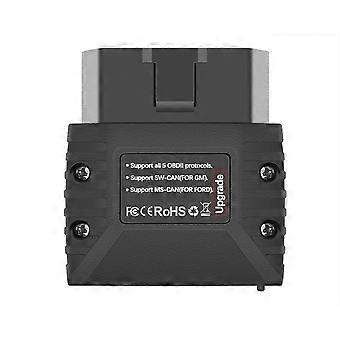
Automotive Fault Diagnosis Device for Vgate Vlinker MC+ BLE Bluetooth 4.0 Supports for Android and IOS Systems

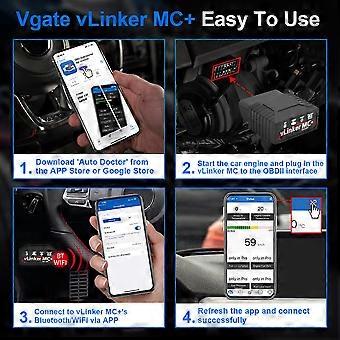
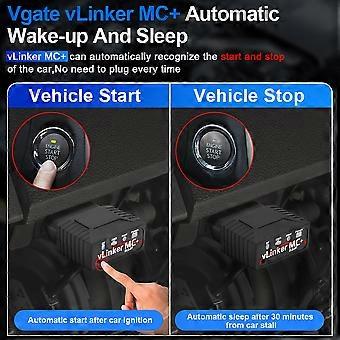
1.Data buffer up to 2K bytes, UART baud rate increased to 500Kbps 2.Support Almost All ELM327/ELM329 Adapter Software 3.Automatic sleep and start to reduce power consumptione 4.OBD2 Standard Protocols+More protocols 5.Support user-defined commands Support:Engineered to accelerate performance over the Bluetooth link, for Vgate vLinker MC+ is up to four times faster than befor The for Vgate vLinker MC+ Bluetooth OBD-II adapter provides access to SW-CAN & MS-CAN networks in addition to all legislated OBD-II protocols. for Vgate vLinker MC+ Bluetooth Operation Steps-Reference for Android users for Android System Operation Steps-Vgate vLinker MC+ 1. Insert the product into the OBD interface of the car. 2. Turn ignition to Key On Engine Off Position 3. Turn on Bluetooth on the phone. 4. After pressing the Black Button on the product, the device name can be found on the phone. (Important Operation) 5. NOTE: Search for the device name "vLinker MC" or "vLinker MC-Android"and click Pair. (For Android system) Attention!! Do not pair "vLinker MC+" or "vLinker MC-IOS" 6. Enter the pairing code: 1234 . If the pairing is successful, you can open the APP to set up the connection. For iOS System Operation Steps-Vgate vLinker MC+ 1. Plug the product into the OBD2 interface of the car. 2. Turn ignition to Key On Engine Off Position 3. Turn on Bluetooth on the For iOS phone. 4. No need to configure Bluetooth device name in the For iOS phone. Just enable Bluetooth button on the For iOS device and continue to the OBD app Setting. Color: Black Material: ABS Package Contents: 1 x Car Diagnostic
  • Fruugo ID: 419153920-883513981
  • EAN: 4713193346782

제품 안전 정보

아래에 설명된 이 제품과 관련된 제품 안전 정보를 참조하십시오.

以下の情報は、この製品を販売する独立したサードパーティ小売業者によって提供されています。

제조업체 부품 번호: I500886867
일련번호: I500886867

배송 및 반품

24시간 이내에 발송됨

  • STANDARD: ₩1,549 - 배달 사이 월 15 12월 2025–수 24 12월 2025

중국에서 발송.

당사는 귀하께서 주문하신 제품이 주문 명세에 따라 빠짐없이 배송되도록 온 힘을 기울이고 있습니다. 다만, 주문하신 것과 다른 상품이 배송되거나 빠진 상품이 있는 경우, 또는 주문 내용에 만족할 수 없는 다른 이유가 있는 경우에는 주문 전체나 주문에 포함된 일부 제품을 반품하시고 해당 상품에 대해 전액 환불받으실 수 있습니다. 전체 반품 정책 보기

製品コンプライアンスの詳細

以下に概説されているこの製品に固有のコンプライアンス情報を参照してください。

以下の情報は、この製品を販売する独立したサードパーティ小売業者によって提供されています。

제조사:
다음 정보는 Fruugo에서 판매되는 관련 상품의 제조사 연락처입니다.

  • Shenzhen Haoyouqu Electronics Ltd.
  • Shenzhen Haoyouqu Electronics Ltd.
  • 6 Qinglong Road, Qinghua Community
  • Longhua Street H Building, 8th Floor
  • Gangzhilong Technology Park
  • shenzhen
  • CN
  • 518000
  • mctheseepxdwn@outlook.com
  • 15320490316

EU 내 책임자:
다음 정보는 EU 내 책임자 연락처입니다. 책임자는 유럽 연합에서 판매되는 관련 상품에 대한 준수 의무에 책임을 지는 EU에 기반을 둔 지정 경제 주체를 말합니다.

  • 0utong GmbH
  • 0utong GmbH
  • Brehmstr, 56,40239 Duesseldorf
  • Düsseldorf
  • Germany
  • 40239
  • info@outong.de
  • 4921131054698