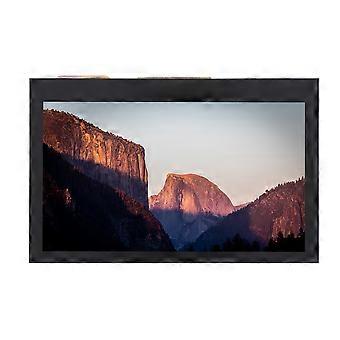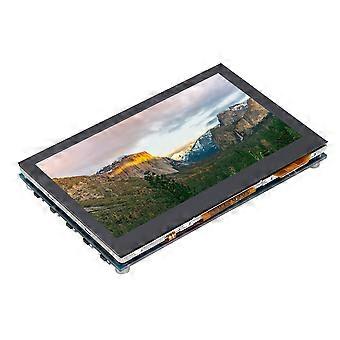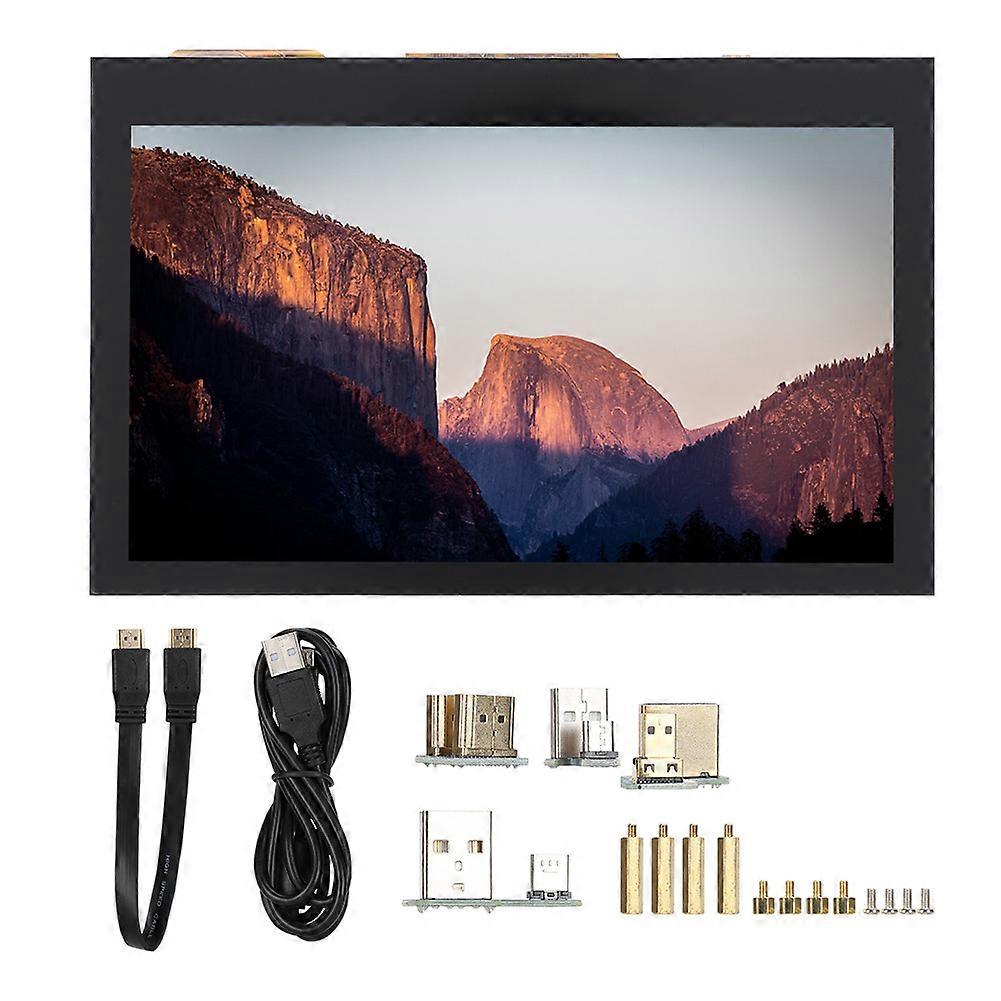
Universal for Raspberry Pi 4.3inch 800x480 LCD Capacitive for 3B+2B+4B IPS Touch Screen

₩118,490
무료 배송

Universal for Raspberry Pi 4.3inch 800x480 LCD Capacitive for 3B+2B+4B IPS Touch Screen

  • 브랜드: Unbranded

Universal for Raspberry Pi 4.3inch 800x480 LCD Capacitive for 3B+2B+4B IPS Touch Screen

  • 브랜드: Unbranded
희망소매가격: ₩189,590
가격: ₩118,490
절약 금액: ₩71,100 (37%)
판매자::
₩118,490
무료 배송

재고 있음

다음의 결제 방식을 사용하실 수 있습니다

설명

Universal for Raspberry Pi 4.3inch 800x480 LCD Capacitive for 3B+2B+4B IPS Touch Screen

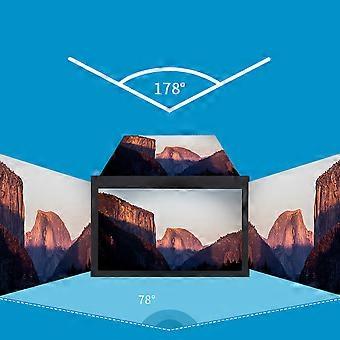
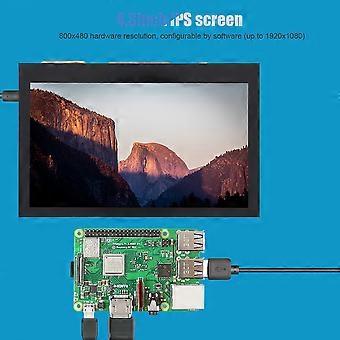
1、3inch IPS screen, 800x480 hardware resolution, configurable by software (up to 1920x1080). 2、Supports popular mini PCs such as for Raspberry Pi/BB Black/Banana Pi. 3、When works with for Raspberry Pi, it supports for Raspbian/Ubuntu/Kali/Retropie/WIN10 IOT, driver free. 4、When works as a computer monitor, it supports for Windows 10/8.1/8/7, five-points touch, and driver free. 5、Support Multiple languages OSD menu (for power management, brightness/contrast adjustment, etc.). Features: 1. 4.3inch IPS screen, 800x480 hardware resolution, configurable by software (up to 1920x1080). 2. Supports popular mini PCs such as for Raspberry Pi/BB Black/Banana Pi. 3. When works with for Raspberry Pi, it supports for Raspbian/Ubuntu/Kali/Retropie/WIN10 IOT, driver free. 4. When works as a computer monitor, it supports for Windows 10/ 8.1/8/7, five-points touch, and driver free. 5. Support Multiple languages OSD menu (for power management, brightness/contrast adjustment, etc.). 6. Equipped with a 5mm audio jack, speaker connector, support HDMI audio output. Specification: Item Type: Touch Screen Resolution: 800x480, with capacitive touch panel Size: Approx. 10.7x 6.9x 1.5cm/ 4.2x 2.7x 0.6in Package List: 1 x 4.3inch HDMI LCD Screen 1 x HDMI Connecting Line 1 x USB Type A Male to Micro Male Cable 4 x Adapters 1 x Pillars Pack Note: Due to the limitations of the game console system, the touch function is not available. Sound support means that the host can normally output sound through the built-in speaker, external speaker interface or headphone interface of LCD module. Usage: 1) Download the compressed file to PC and extract it to get the .img file. 2) Connect TF card to PC and use for SDFormatter.exe to format the TF card. 3) Open for Win32DiskImager.exe, select the system image prepared in step 1, and click "write" to burn the system image. 4) After burning, open the config.txt file in TF kagan directory, and add the following code at the end of config.txt, then save and safely pop-up the TF card. Insert the TF card into for Raspberry Pi. max_usb_current=1 hdmi_force_hotplug=1 hdmi_group=2 hdmi_mode=87 hdmi_cvt 800 480 60 6 0 0 0 5) Connect the Touch interface of LCD to the USB interface of for Raspberry Pi. 6) Connect the HDMI interface of LCD to the HDMI interface of for Raspberry Pi, then power on the for Raspberry Pi, and wait for a few seconds to display normally.
  • Fruugo ID: 361829859-786371901
  • EAN: 9064571644156

제품 안전 정보

아래에 설명된 이 제품과 관련된 제품 안전 정보를 참조하십시오.

以下の情報は、この製品を販売する独立したサードパーティ小売業者によって提供されています。

제품 안전 라벨

CE Mark
안전 경고: Warning to keep away from water to prevent electric shocks.

배송 및 반품

3일 이내에 발송됨

  • STANDARD: 무료 - 배달 사이 금 19 12월 2025–화 23 12월 2025 - 무료

중국에서 발송.

당사는 귀하께서 주문하신 제품이 주문 명세에 따라 빠짐없이 배송되도록 온 힘을 기울이고 있습니다. 다만, 주문하신 것과 다른 상품이 배송되거나 빠진 상품이 있는 경우, 또는 주문 내용에 만족할 수 없는 다른 이유가 있는 경우에는 주문 전체나 주문에 포함된 일부 제품을 반품하시고 해당 상품에 대해 전액 환불받으실 수 있습니다. 전체 반품 정책 보기

製品コンプライアンスの詳細

以下に概説されているこの製品に固有のコンプライアンス情報を参照してください。

以下の情報は、この製品を販売する独立したサードパーティ小売業者によって提供されています。

제조사:
다음 정보는 Fruugo에서 판매되는 관련 상품의 제조사 연락처입니다.

  • Chen ShaoMao
  • Lixian Maisite Trading Co., Ltd.
  • Group 8
  • Wugong Village
  • Xiaodukou Town
  • Lixian County
  • CN
  • 415500
  • zhuyihaozyh@outlook.com
  • 13192770024

EU 내 책임자:
다음 정보는 EU 내 책임자 연락처입니다. 책임자는 유럽 연합에서 판매되는 관련 상품에 대한 준수 의무에 책임을 지는 EU에 기반을 둔 지정 경제 주체를 말합니다.

  • e Vatmaster Consulting GmbH
  • e Vatmaster Consulting GmbH
  • RaiffeisenstraBe 2 B11
  • Rodgau
  • DE
  • 63110
  • contact@evatmaster.com
  • 49 61062699873