설명
Terios Wireless Joystick Support Bluetooth 3.0 Gamepad Game Controller Gaming Control for Tablet PC Android Smart mobile phone
Item Description
Multi Compatibility Bluetooth Game Controller
This controller compatible with Nintendo Switch,PS3,PS4,PC,Laptop, Iphone(below IOS 13.4 system), IOS MFI, Android,Smart TV.
Note:
This gamepad is not compatible with IOS versions after 13.4
Rechargeable battery
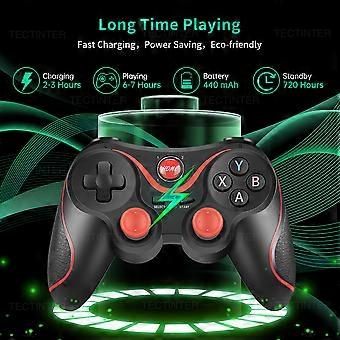
The controller has a built-in 440mAh rechargeable lithium battery, so you don"'"t need to buy AA batteries. Please charge the controller when you use it for the first time, because the battery may be exhausted due to long-term transportation. You can play 6 hours at full power!
High-precision 360 Rocker
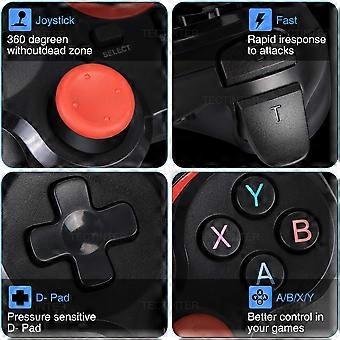
The highly sensitive analog joysticks and buttons provides more detailed and precise control of the actions in the game, with reduced response time and improved accuracy at critical moments,making the game smoother.
ERGONOMIC DESIGN
The special design concept used on both sides of the controller, the special-line designed brings you a thicker feeling, the streamlined design and special materials reduce the weight of the product, and the anti-slip design on both sides make sure you can still enjoy with it after a long period of use.
Multiple Connection Methods
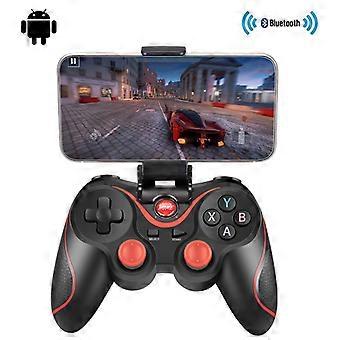
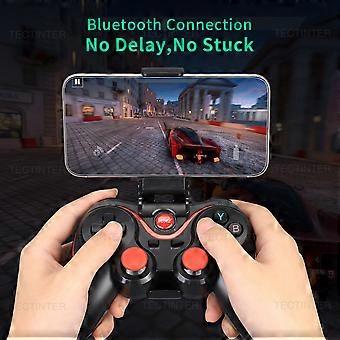
This Bluetooth control handle is compatible with multi-platform games. Universal Bluetooth connectivity means you can play games on Bluetooth-enabled Android phones and tablets! It can be used for Android smart phones/iOS/TV boxes/PS3/PS4/laptops/PC.
How To Connect
If you enter the wrong mode, please cancel the Bluetooth pairing before re-entering the pairing mode!
Android phone In the condition of controller off,hold on pressing X + Home key for 5 seconds,Long press key combination for 5 seconds,four led lights on the handle is in a flash state,turn on cell phone for bluetooth search,to find the corresponding device, and then click on the matching connection.
Ios phone In the condition of controller off,hold on pressing Y + Home key for 5 seconds,Long press key combination for 5 seconds,four led lights on the handle is in a flash state,turn on cell phone for bluetooth search,to find the corresponding device, and then click on the matching connection.
PC or TV box: Insert receiver in to USB port, In the condition of controller off,hold on pressing L1+ Home key for 5 seconds,it will be automatically connect.
Function Button Display
LED1=Android V3 mode
LED2=iphone V3 mode
LED3=game lobby mode
LED4=Charging indication
Product list
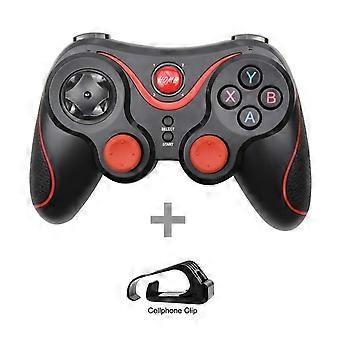
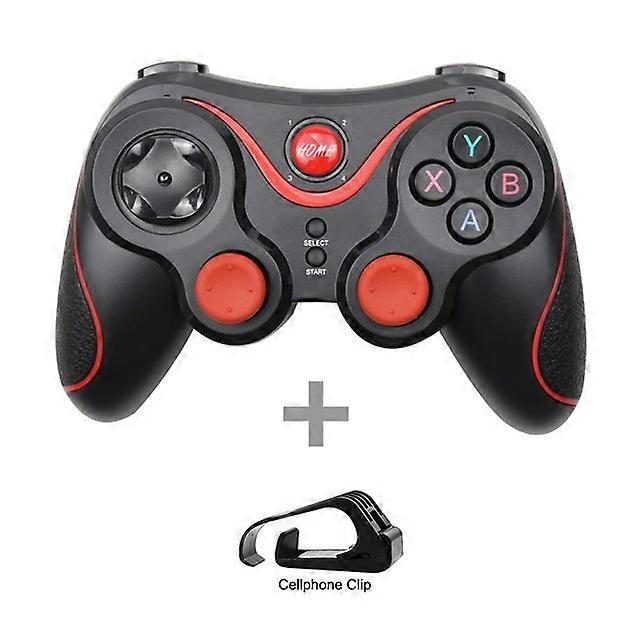
1x Controller
1x USB Cable
1x Manual
1x Cellphone Clip
-
브랜드:
Unbranded
-
카테고리:
게임 컨트롤러
-
색상:
T3 Plus with stand
-
Fruugo ID:
211019287-449773340
제품 안전 정보
아래에 설명된 이 제품과 관련된 제품 안전 정보를 참조하십시오.
以下の情報は、この製品を販売する独立したサードパーティ小売業者によって提供されています。
제품 안전 라벨

안전 경고:
important Safety Instructions Read Before Use: Please read all instructions and safety warnings before using this product. Failure to follow these guidelines may result in injury, damage, or malfunction. General Warnings Intended Use: Use this product only for its intended purpose as described in the user manual. Supervision Required: This product is not intended for use by children or persons with reduced physical, sensory, or mental capabilities without supervision. Inspection Before Use: Check for any signs of damage or wear before use. Do not use if damaged. Usage Precautions Environment: Do not use in wet, damp, or flammable environments unless specified as safe for such conditions. Proper Operation: Follow all operating instructions carefully. Avoid improper handling or misuse. Power Source: Use only the recommended power supply or batteries. Do not exceed specified voltage or current ratings. Maintenance and Care Cleaning: Disconnect from power before cleaning. Use only manufacturer-recommended cleaning methods and solutions. Storage: Store in a cool, dry place away from direct sunlight and extreme temperatures. Repairs: Do not attempt to disassemble or repair the product. Contact authorized service personnel for assistance. Specific Warnings Avoid Hazards: Keep the product away from sharp objects, water, and heat sources. In Case of Malfunction: If the product malfunctions or exhibits unusual behavior, discontinue use immediately and contact customer support. Disposal Instructions Recycling: Dispose of the product in accordance with local electronic waste disposal and recycling guidelines. Battery Disposal: Follow specific regulations for the safe disposal of batteries if included.