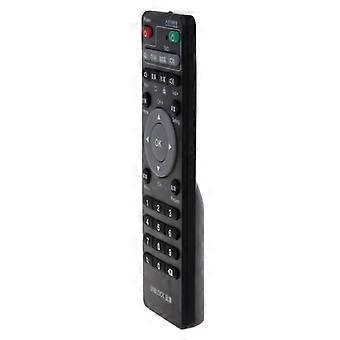
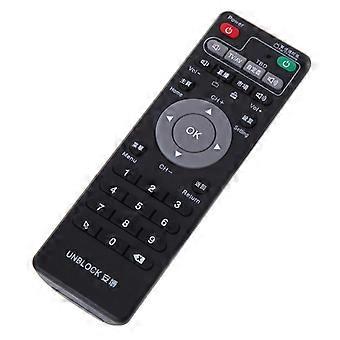
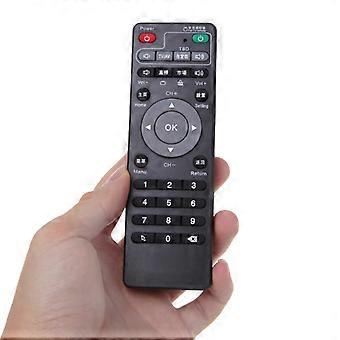
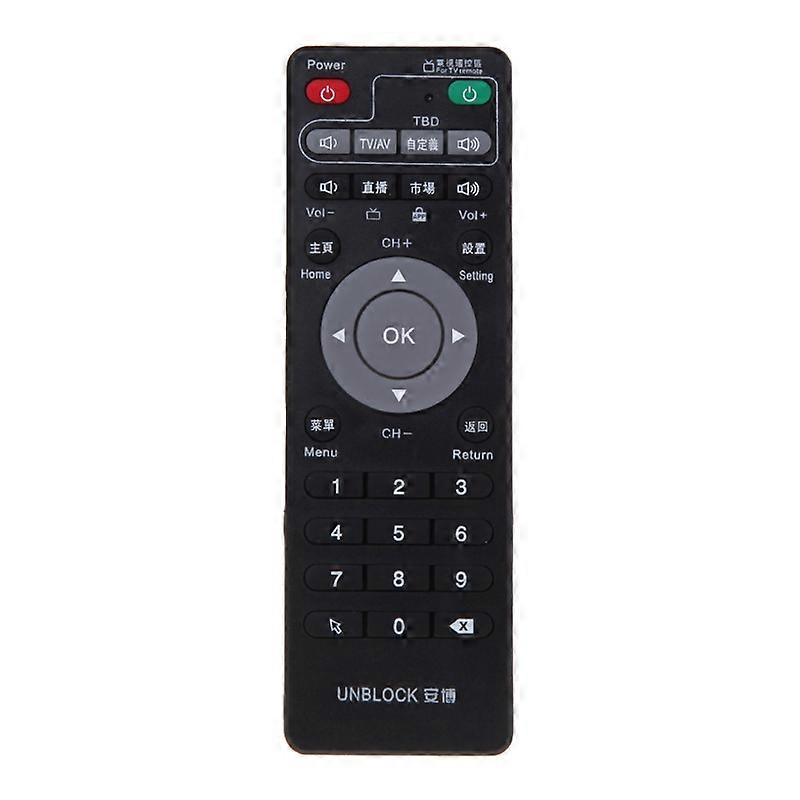
Set-Top Box Learning Remote Control For Unblock Tech Ubox Smart TV Box Gen 1/2/3

₩43,690
+ ₩6,949 배송

Set-Top Box Learning Remote Control For Unblock Tech Ubox Smart TV Box Gen 1/2/3

  • 브랜드: Unbranded

Set-Top Box Learning Remote Control For Unblock Tech Ubox Smart TV Box Gen 1/2/3

  • 브랜드: Unbranded
희망소매가격: ₩87,390
가격: ₩43,690
절약 금액: ₩43,700 (50%)
판매자::
₩43,690
+ ₩6,949 배송

재고 있음

14일 반품 정책

결제 방법:

설명

Set-Top Box Learning Remote Control For Unblock Tech Ubox Smart TV Box Gen 1/2/3

Features: brand new and high quality. Suitable for Unblock Tech Ubox/STB/IPTV/TV receiver Compatible models: Gen 1 / Gen 2 / Gen 3 Pro / Gen4 PRO BT Box; S800 / S800 + / S900. Ideal to replace your broken remote or simply as a spare one. Learning set-top box remote control: Set-top box remote control + TV remote control combined into two With learning function, the remote control reserved for the TV remote control learning area, through learning can control the TV. Learning the keys of the zone can be repeatedly learned, the new learning code covers the original learning code, and the power-off is permanently saved. Microcomputer processor (MCU) control, low power consumption, long-distance transmission, simple operation, convenient to use. Exquisite appearance, comfortable to feel. Big button, feel comfortable, more suitable for the whole family. Set-top box remote control learning area function usage method "TV button area" - A simple TV remote control replacement area for one-to-one correspondence learning and replacement of the 8 most important key functions on the TV remote control, ie TV, menu, volume +, volume -, AV/TV , confirmation, channels, channels, etc. 1. Press and hold the SET button in the Keyboard Area of the set top box remote control for about 3 to 4 seconds. The learning indicator on the top of the TV Keypad area will remain lit or blink, and then let go. 2. The front of the TV remote controller is aligned with the front of the set top box remote controller, and the distance between the two is 1 cm to 8 cm. 3. Press the TV remote control\'s power button until the unit\'s indicator light flashes once and then release it. 4. Press and release the power button on the TV. The indicator light will blink and then it will be on. This status indicates that the power button has been successfully learned. 5. According to step 3-4 operation, complete the remaining key learning operation. 6. Press the "Set" button on the remote control of this set-top box to learn t
  • 브랜드: Unbranded
  • 카테고리: 녹화기
  • Fruugo ID: 164699256-350635503
  • EAN: 9125287527192

제품 안전 정보

아래에 설명된 이 제품과 관련된 제품 안전 정보를 참조하십시오.

以下の情報は、この製品を販売する独立したサードパーティ小売業者によって提供されています。

제품 안전 라벨

CE Mark

배송 및 반품

24시간 이내에 발송됨

  • STANDARD: ₩6,949 - 배달 사이 수 31 12월 2025–금 09 1월 2026

중국에서 발송.

당사는 귀하께서 주문하신 제품이 주문 명세에 따라 빠짐없이 배송되도록 온 힘을 기울이고 있습니다. 다만, 주문하신 것과 다른 상품이 배송되거나 빠진 상품이 있는 경우, 또는 주문 내용에 만족할 수 없는 다른 이유가 있는 경우에는 주문 전체나 주문에 포함된 일부 제품을 반품하시고 해당 상품에 대해 전액 환불받으실 수 있습니다. 전체 반품 정책 보기

製品コンプライアンスの詳細

以下に概説されているこの製品に固有のコンプライアンス情報を参照してください。

以下の情報は、この製品を販売する独立したサードパーティ小売業者によって提供されています。

제조사:
다음 정보는 Fruugo에서 판매되는 관련 상품의 제조사 연락처입니다.

  • Shenzhen Winway Electronics Co.,ltd
  • Shenzhen Winway Electronics Co.,ltd
  • D11-1, U Chuanggu
  • Niulanqian, Minzhi Street, Longhua New District
  • Shenzhen
  • CN
  • 518000
  • 83250625@qq.com
  • 13714675202
  • https://www.fruugo.co.uk/shenzhen-winway-electronics/m-15069

EU 내 책임자:
다음 정보는 EU 내 책임자 연락처입니다. 책임자는 유럽 연합에서 판매되는 관련 상품에 대한 준수 의무에 책임을 지는 EU에 기반을 둔 지정 경제 주체를 말합니다.

  • EUBRIDGE ADVISORY GMBH
  • EUBRIDGE ADVISORY GMBH
  • Virginia Str2, 35510 Butzbach, Hessen, Germany
  • Butzbach, Hessen, Germany
  • DE
  • 35510
  • Hunter@pokza.com
  • 68196989045