NVMe SSD Adapter Card for MacBook Air Pro Retina 2013-2017 Upgrade Tool-Compatible with A1465 A1466 A1398 A1502 Models

₩10,490
+ ₩14,399 배송

NVMe SSD Adapter Card for MacBook Air Pro Retina 2013-2017 Upgrade Tool-Compatible with A1465 A1466 A1398 A1502 Models

  • 브랜드: Unbranded

NVMe SSD Adapter Card for MacBook Air Pro Retina 2013-2017 Upgrade Tool-Compatible with A1465 A1466 A1398 A1502 Models

  • 브랜드: Unbranded
희망소매가격: ₩23,090
가격: ₩10,490
절약 금액: ₩12,600 (54%)
판매자::
₩10,490
+ ₩14,399 배송

재고 있음

다음의 결제 방식을 사용하실 수 있습니다

설명

NVMe SSD Adapter Card for MacBook Air Pro Retina 2013-2017 Upgrade Tool-Compatible with A1465 A1466 A1398 A1502 Models

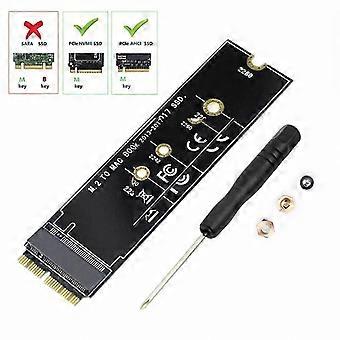
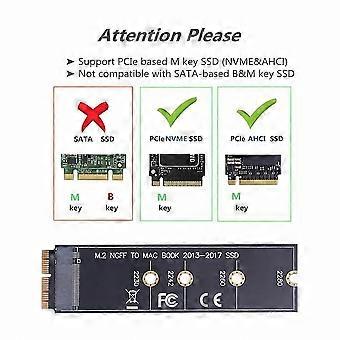
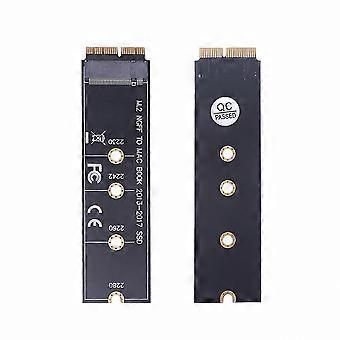
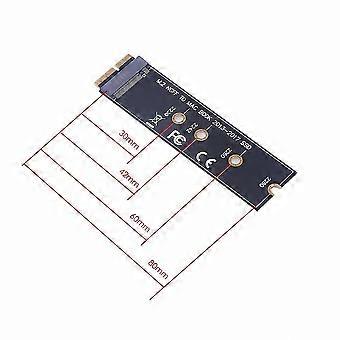
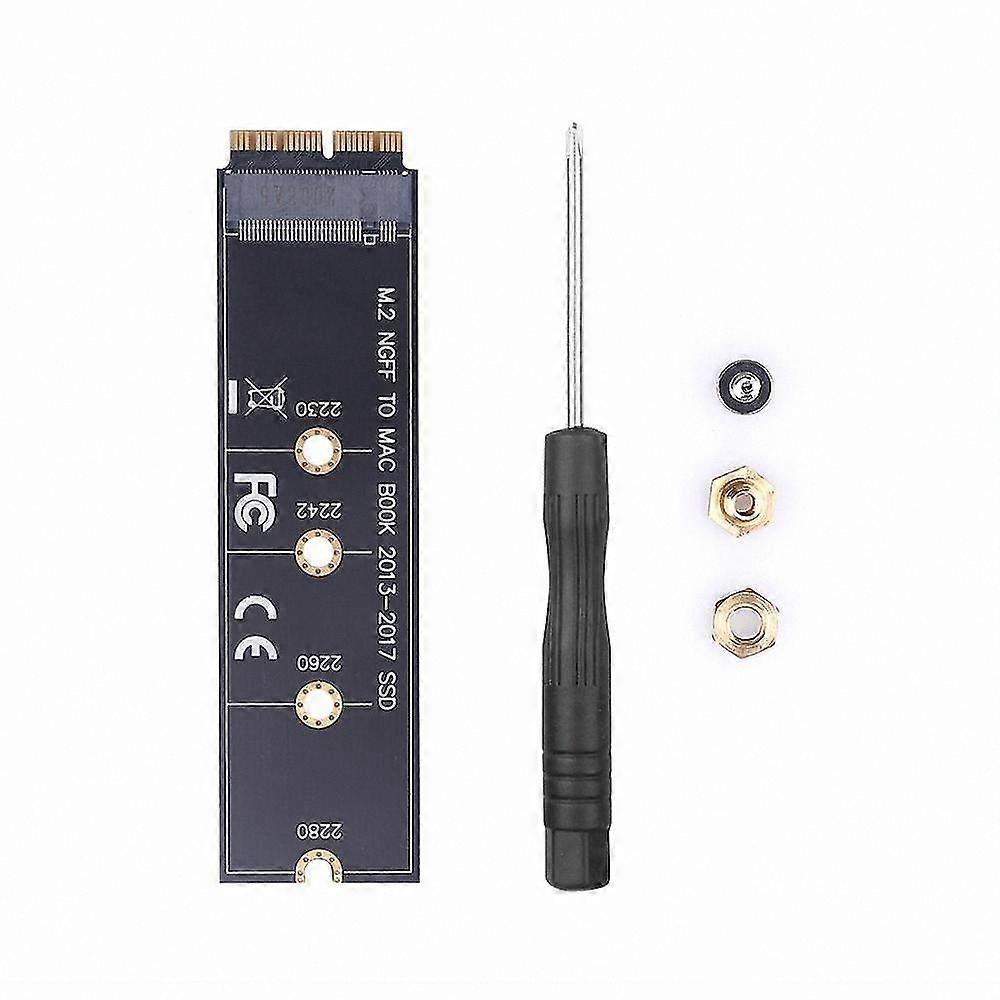
Features: This M.2 PCIe NVMe SSD converter adapter allows upgrading the SSD in MacBook models from 2013 to 2015 with a high-capacity NVMe SSD. Compatible with MacBook Air 11” A1465 and MacBook Air 13” A1466 (Mid 2013–2017), MacBook Pro (Retina) 13" A1502 and 15" A1398 (Late 2013–Mid 2015), and Mac Pro ME253 MD878. Requires macOS 10.13 High Sierra or later; not compatible with versions earlier than macOS 10.13. Users must upgrade their operating system using the original SSD before installation. Supports M.2 NVMe/AHCI SSDs such as 960 EVO, 970 EVO/PRO (does not support 960 EVO Plus), WD Black, Crucial P1, HP EX920, ADATA SX8200, Intel 600p series NVMe SSD, and similar models. Does not support internet recovery; a bootable USB drive must be prepared prior to installation (the M.2 PCIe adapter does not contain an operating system and must be formatted first). How to use: 1. Install High Sierra on your old drive to ensure the firmware supports NVMe. 2. Perform a full backup of your old drive using Time Machine. 3. Create a High Sierra installer on a bootable USB drive. 4. Open the MacBook, disconnect the battery, replace the drive, and ensure both the adapter and new SSD are securely seated. 5. Reconnect the battery before closing the case. 6. Insert the bootable USB installer and press the Option key during startup. 7. After booting from the USB, use Disk Utility to format the M.2 SSD and install macOS. Notice: 1. Some NVMe SSD brands may cause issues with macOS hibernation mode. It may be necessary to fully shut down the laptop instead of closing the lid. 2. Fully insert the adapter into the SSD slot and use a bootable USB drive with High Sierra to format the SSD before use; internet recovery is not supported. 3. If the NVMe SSD is not detected, ensure all steps were followed correctly and attempt reinstallation. Package includes: 1 x Adapter Card 1 x Screw Set & Driver
  • Fruugo ID: 415685399-877445712
  • EAN: 4226023559639

배송 및 반품

24시간 이내에 발송됨

  • STANDARD: ₩14,399 - 배달 사이 금 12 12월 2025–월 22 12월 2025

중국에서 발송.

당사는 귀하께서 주문하신 제품이 주문 명세에 따라 빠짐없이 배송되도록 온 힘을 기울이고 있습니다. 다만, 주문하신 것과 다른 상품이 배송되거나 빠진 상품이 있는 경우, 또는 주문 내용에 만족할 수 없는 다른 이유가 있는 경우에는 주문 전체나 주문에 포함된 일부 제품을 반품하시고 해당 상품에 대해 전액 환불받으실 수 있습니다. 전체 반품 정책 보기

製品コンプライアンスの詳細

以下に概説されているこの製品に固有のコンプライアンス情報を参照してください。

以下の情報は、この製品を販売する独立したサードパーティ小売業者によって提供されています。

제조사:
다음 정보는 Fruugo에서 판매되는 관련 상품의 제조사 연락처입니다.

  • Jiang Yan
  • Guangzhou Ruicai E-commerce Co., Ltd.
  • Room D2709, 203, 2nd Floor, No. 4, Yuejia 2nd Street,Shimen Street, Baiyun District,Guangzhou City,Guangdong Province
  • Guangzhou
  • CN
  • 510420
  • tengjiong5330228@163.com
  • 13192975727

EU 내 책임자:
다음 정보는 EU 내 책임자 연락처입니다. 책임자는 유럽 연합에서 판매되는 관련 상품에 대한 준수 의무에 책임을 지는 EU에 기반을 둔 지정 경제 주체를 말합니다.

  • Van Lavazza
  • Y & H S.R.L.
  • Via Gravina 21 MT matera,Trani,Puglia
  • Trani
  • Italy
  • 75100
  • itlyhsrl@gmail.com
  • 0039 3917722149