설명
Mini Printer Pocket Portable Bluetooth Photo Wrong Question Label Printing Machine
Feature:
1. Can be used to record stickers, after printing out, it can be directly attached to the item to make for easily classify life items.
2. Concave stainless steel head, easy to tear paper neatly, ergonomically smoothly design, comfortable to hold.
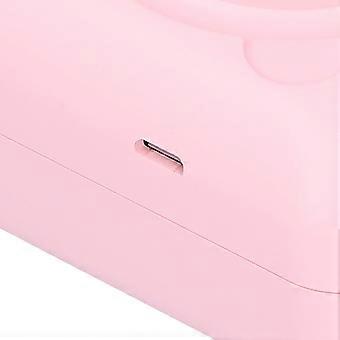
3. Support USB fast charging, and realize printing while charging, which can greatly improve printing efficiency.
4. Bluetooth can be directly connected, and the built‑in large‑capacity polymer lithium battery can ensure a long battery life.
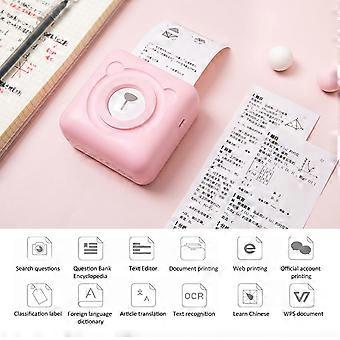
5. Mini life assistant, can be used to print shopping list, object recognition, hand account, memo, etc.
6. Single button body, convenient and simple operation, easy to replace the paper roll by sliding the cover.
Specification:
Item Type: Mini PrinterMaterial: ABS+Stainless steel
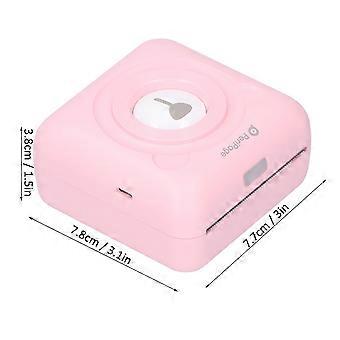
Size: Approx. 7.8 x 7.7 x 3.8cm / 3.1 x 3 x 1.5in
Battery Type: Lithium battery
Battery Model: 18650
Battery Capacity: 1500mAh
Resolution: 304dpi
Power Indicator Status Introduction:
Green Light On: Full charged/normal use state.
Red Light On: Charging/out of paper/overheating/opening the cover.
Red Light Flashes: Low battery will cause the printed handwriting to be faint, please charge in time.
Orange Light On: The debug mode has been entered, long press the power button to shut down to exit the debug mode.
Support 5 languages, and provide Chinese-English, Chinese-Japanese, Chinese-Korean, Chinese-French, Chinese-Russian dictionary and sentence (paragraph) translation
Connect Printing:
App Printing: Turn on the device, follow the App prompt to search and connect to the printer, or double-click the power button to print the QR code, and scan the code to connect to the printer with the App to print.
(Note: Do not search for the Bluetooth connection of the printer in the Bluetooth settings of the mobile phone)
Computer Printing: Connect the printer and the computer with a USB data cable, install the driver and set appropriately, then you can print. It can be used as an ordinary printer or used in conjunction with label software.
Function: It can be connected to Bluetooth for printing, and it can also be used as a computer printer. It can be used as an ordinary computer printer when connected to a computer by USB. How much content can be printed and how long it is flexible and not wasteful. It is compact and convenient for storage.
Note: (for IOS computers are not currently supported)
Bluetooth connection and printing, Bluetooth directly connects to mobile phones, low power consumption
8-10 rolls can be printed at a time after full charged
Charging Time: 1.5-2 hours
Can use 2A fast charge
Charge for five minutes to print a roll of paper
Clean Print Head:
1. Please turn off the printer and open the paper compartment cover to take out the paper roll;
2. Gently wipe the cotton cloth or cotton swab along the center to the periphery of the print head;
3. After cleaning the print head, do not use the printer immediately, please wait for 1-2 minutes to use it..
Package List:
1 x Printer1 x USB Cable1 x User Manual
Note:
Manual measurement, for reference only.
-
Fruugo ID:
392840606-840236152
-
EAN:
7354012273604
제품 안전 정보
아래에 설명된 이 제품과 관련된 제품 안전 정보를 참조하십시오.
以下の情報は、この製品を販売する独立したサードパーティ小売業者によって提供されています。
제품 안전 라벨

안전 경고:
Warning: Please read the product instructions carefully before use to ensure correct use.
일련번호:
7354012273604