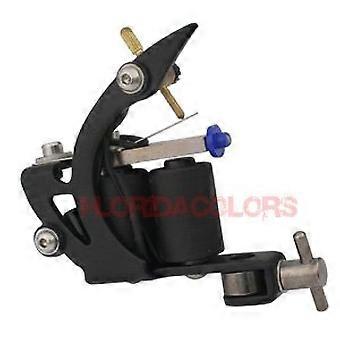
설명
Liner Shader Visual Enhancement Tool for Web UI Design Boost Conversion Rates Fast Integration
Liner Shader
Product overview
Liner Shader is a visual enhancement tool designed to support higher conversion rates by improving the clarity and focus of on page and creative elements. It applies precise liner and shading adjustments to guide user attention, reinforce hierarchy, and make calls to action more visible without altering core content.
Key benefits
Improve visual focus: Subtle liner and shading adjustments help direct attention to critical elements such as calls to action, product images, and form fields.
Reduce friction: Clearer visual hierarchy makes it easier for users to scan pages and complete desired actions, supporting smoother user journeys.
Quick integration: Built to fit into existing design and content workflows with minimal setup and low resource impact.
Precise, controlled changes: Finegrained controls let teams adjust intensity and placement so visuals remain on brand and consistent across devices.
Trackable performance: Works alongside analytics to evaluate impact on CTR, bounce rate, and conversion metrics without requiring major redesigns.
Function and attributes
Function: Applies liner and shading adjustments to visual assets and page elements to improve emphasis and readability.
Compatibility: Designed to work with standard design tools and common web and ecommerce workflows. Integrates into existing asset pipelines and content management processes.
Format and size: Delivered as a lightweight digital solution that adds minimal file size and rendering overhead.
Material: Digital asset and styling adjustments; no physical components required.
Performance: Optimized for fast rendering and consistent appearance across desktop and mobile displays.
How it solves common problems
Low clickthrough on calls to action: By enhancing contrast and outlining key elements, Liner Shader helps make CTAs more noticeable without changing copy.
Confusing page hierarchy: Strategic shading and liner use clarifies which items are primary and which are secondary, helping users decide quickly.
Slow visual iteration cycles: Lightweight implementation enables designers and marketers to test visual variants faster and collect performance data.
Practical use scenarios
Product listings: Apply targeted lining and shading to product thumbnails and tags to increase visibility and encourage clicks from browsing pages.
Landing pages and CTAs: Use precise shading around buttons and form fields to improve scannability and guide visitors toward conversion steps.
Email and mobile creatives: Add subtle liners to hero images and action links in promotional emails and mobile ads to improve clickthrough on constrained displays.
Who should use it
Designers and UX teams seeking controlled visual enhancements that preserve brand styling
Marketing teams running conversion optimization tests
Ecommerce operators looking to increase engagement on product and category pages
What to expect after implementation
Fast deployment with minimal impact on load times
Consistent visual improvements across device sizes
Measurable differences in user engagement and conversionrelated metrics when combined with standard analytics and testing practices
Technical note
Liner Shader is a digital styling tool that complements existing design assets and workflows. It is intended to be applied alongside established analytics and testing processes to assess impact on conversion metrics.
-
Fruugo ID:
457349700-963644638
-
EAN:
6933416357830