Led Wireless Mouse Laptop

₩17,890
+ ₩15,899 배송

Led Wireless Mouse Laptop

  • 브랜드: Unbranded
판매자::

Led Wireless Mouse Laptop

  • 브랜드: Unbranded

₩17,890

할인 ₩14,200 (44%)

권장소매가

₩32,090
재고 있음
+ ₩15,899 배송

14일 반품 정책

판매자::

₩17,890

할인 ₩14,200 (44%)

권장소매가

₩32,090
재고 있음
+ ₩15,899 배송

14일 반품 정책

결제 방법:

설명

Led Wireless Mouse Laptop

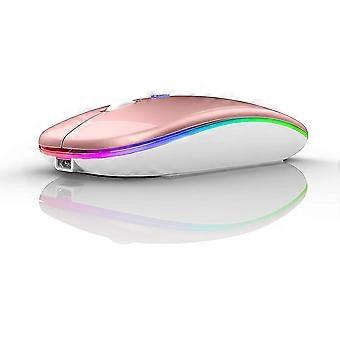
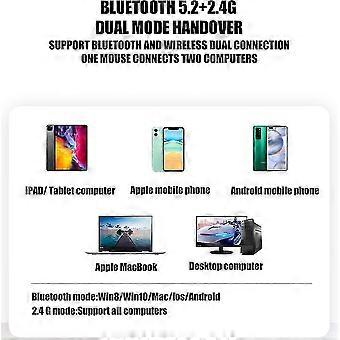
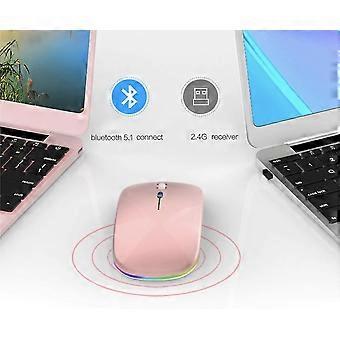
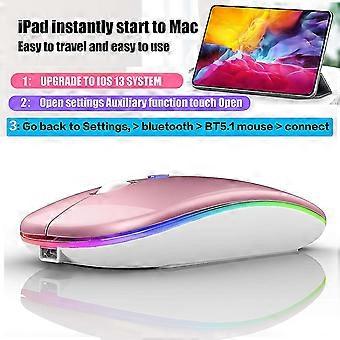
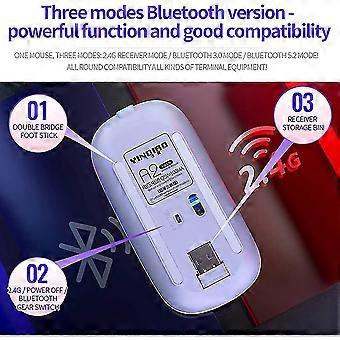
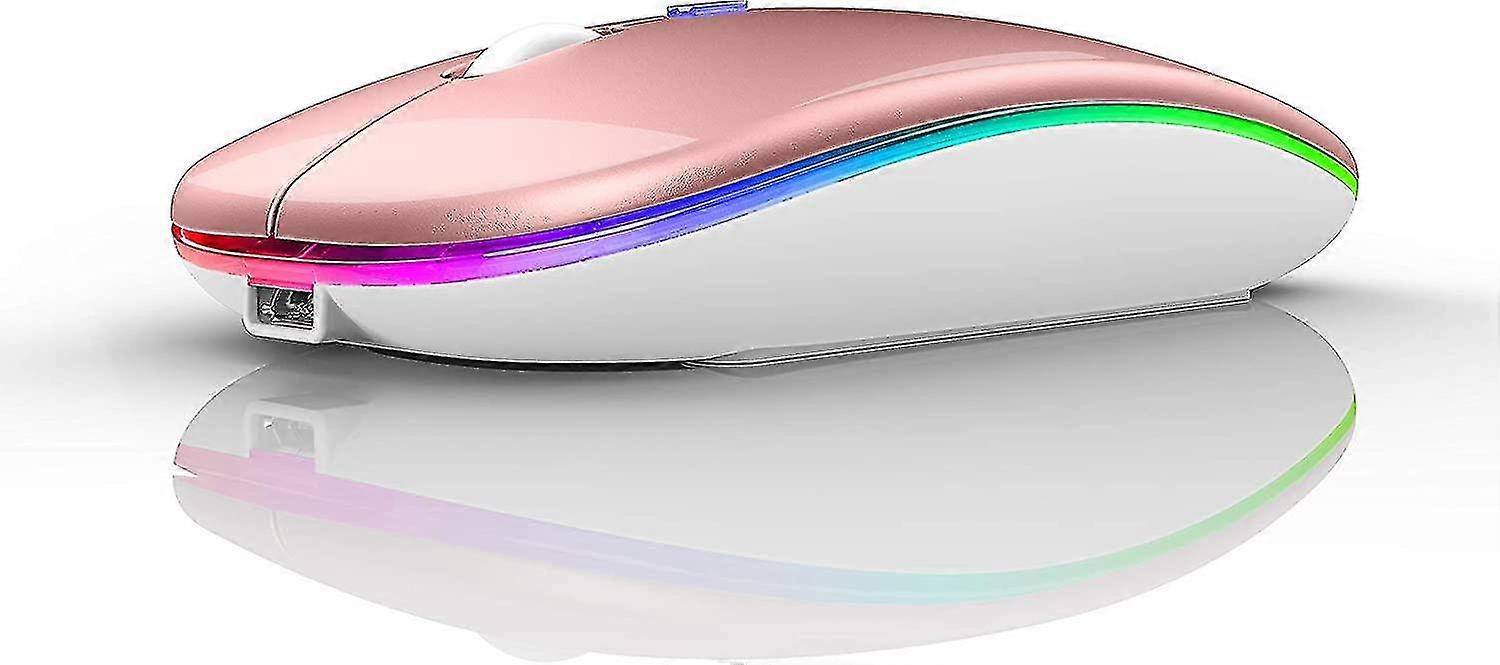
For all computers and laptops and ios13 / ios14 tablet/pro/Air / Phone / MAC / MacBook / Pro / air windows / chromebook / HP / Dell 7-color LED mouse: After the mouse is successfully connected to your computer/laptop/iPad device, the 7-color LED starts to light one by one. ERGONOMIC DESIGN Good surface coating technology given you a skin-like touch feeling. User-friendly design provide all-day comfort for work and entertainment, portable and pocket-sized perfect for travel, Mute design keeps away annoying clicks. Use the DPI mouse button on the screen: you are free to adjust the mouse sensitivity to match your activity. Provide 3 DPI levels (800-1200-1600). The higher the DPI, the faster the cursor moves on the screen BUILT-IN BATTERY: Built-in battery,easy to charge by micro usb cable,no more need for extra AAA battery. Packing list: Instructions*1, LED rechargeable Bluetooth5.1 + 2.4G dual-mode mouse *1, 2.4g Nano USB receiver *1(hidden in the slot at the bottom of the mouse), USB charging line *1, How to connect to a laptop using bluetooth mode: Turn on the Bluetooth switch at the bottom of the mouse open the computer system Settings open Bluetooth when the computer bluetooth display is looking for nearby bluetooth devices, find the BT5.1 mouse, click the connection, and then successfully connected, you can use the mouse. How to connect to iOS/tablet/Pro/Air/ Mini/ Phone (ios 13/ios 14) via Bluetooth Mouse first slide the button at the bottom of the mouse to the bluetooth position. ( bluetooth mode.) (1) open tabletSettings Accessibility Touch AssistiveTouch Click to open An auxiliary dot will appear on the screen (2) Go back to Settings Click on the bluetooth Click to open BT 5.1 MOUSE connect and Pair.PIN:0000) How to Charge Wireless Mouse When the pointer of your mouse does not move or cannot be used, or suddenly disconnects continuously in use, you need to charge it for about 3 hours. Please use the USB port of your computer to charge it, or use an adapter with an output of no more than 5v to charge it 7-color LED mouse: After the mouse is successfully connected to your computer/laptop/iPad device, the 7-color LED starts to light one by one.
  • Fruugo ID: 205062422-435887895
  • EAN: 9754592110852

제품 안전 정보

아래에 설명된 이 제품과 관련된 제품 안전 정보를 참조하십시오.

以下の情報は、この製品を販売する独立したサードパーティ小売業者によって提供されています。

제품 안전 라벨

CE Mark
안전 경고: Not suitable for children under 36 months

배송 및 반품

2일 이내에 발송됨

  • STANDARD: ₩15,899 - 배달 사이 화 17 2월 2026–수 25 2월 2026

중국에서 발송.

당사는 귀하께서 주문하신 제품이 주문 명세에 따라 빠짐없이 배송되도록 온 힘을 기울이고 있습니다. 다만, 주문하신 것과 다른 상품이 배송되거나 빠진 상품이 있는 경우, 또는 주문 내용에 만족할 수 없는 다른 이유가 있는 경우에는 주문 전체나 주문에 포함된 일부 제품을 반품하시고 해당 상품에 대해 전액 환불받으실 수 있습니다. 전체 반품 정책 보기

製品コンプライアンスの詳細

以下に概説されているこの製品に固有のコンプライアンス情報を参照してください。

以下の情報は、この製品を販売する独立したサードパーティ小売業者によって提供されています。

제조사:
다음 정보는 Fruugo에서 판매되는 관련 상품의 제조사 연락처입니다.

  • Shenzhen Juling Technology Co., Ltd.
  • Shenzhen Juling Technology Co., Ltd.
  • Room 209, Wuguan Resident GroupNo. 82,Xinhe Community
  • Longhua District
  • Shenzhen
  • CN
  • 518000
  • julinfrud@yeah.net
  • 15239443919
  • https://www.fruugo.co.uk/search?merchantId=18696

EU 내 책임자:
다음 정보는 EU 내 책임자 연락처입니다. 책임자는 유럽 연합에서 판매되는 관련 상품에 대한 준수 의무에 책임을 지는 EU에 기반을 둔 지정 경제 주체를 말합니다.

  • SUCCESS COURIER SL
  • SUCCESS COURIER SL
  • CALLE RIO TORMES NUM. 1, PLANTA 1, DERECHA, OFICINA 3,Fuenlabrad a
  • Madrid
  • ES
  • 28947
  • successservice2@hotmail.com
  • 34910602659
  • https://www.info-clipper.com/en/company/spain/success-courier-sl.esd7srdq5.html