설명
Ergonomic USB Foot Pedal Switch for Video Editing and Hands-Free Task Control
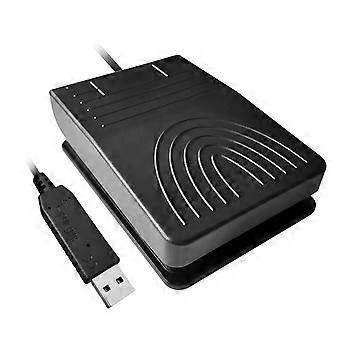
USB Foot Pedal — a customizable foot switch that connects via USB and functions as a keyboard or mouse extension to reduce repeated manual tasks and streamline multi-step workflows.
Key benefits
Save time and reduce strain: execute common commands hands-free so you can keep your hands on your primary input devices.
Increase efficiency: map repetitive actions (shortcuts, macros, playback controls) to the pedal for faster, more consistent results.
Improve focus and ergonomics: perform frequent tasks without interrupting typing or using the mouse, reducing workflow friction.
Core features and attributes
Function: single or multi-switch foot pedal configurable to send keyboard shortcuts or mouse actions, acting as an extension of your existing input devices.
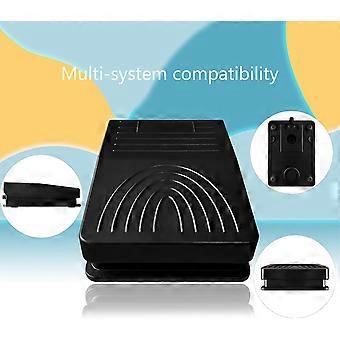
Compatibility: connects via standard USB for plug-and-play use with computers; integrates as an external input device without altering your main setup.
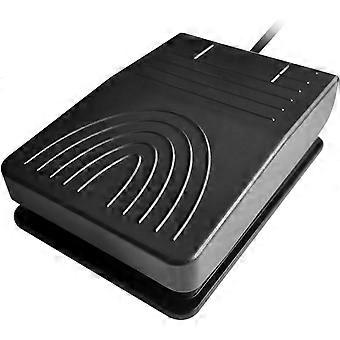
Size and design: compact footprint for convenient placement under a desk or beside a workstation; low-profile design suited to extended use.
Materials and build: sturdy construction designed for repeated pressing; stable base to prevent slipping during operation.
Performance: responsive, low-latency switching intended for professional workflows and fast-paced use.
How it solves problems
Removes the need to stop typing or move hands for routine tasks, eliminating small interruptions that add up during long sessions.
Replaces repetitive mouse clicks and chained key presses with a single foot tap, minimizing fatigue and speeding task completion.
Provides a simple, reliable alternative input method that fits into existing workflows without major reconfiguration.
Practical use scenarios
Programming: trigger build/run commands, toggle terminal focus, or paste common code snippets while keeping hands on the keyboard.
Video and audio editing: control play/pause, cut/mark points, and timeline navigation with your foot to maintain precise control over editing tools.
Design and productivity: switch tools, execute macros, or navigate between applications while working in graphic design, CAD, or office environments.
Gaming and streaming: use as a push-to-talk button, macro activator, or quick-action trigger to keep hands on controls.
Quick setup and operation
Connect the pedal to an available USB port and configure the switch mappings in your preferred macro or shortcut tool, or use system-level input mapping that recognizes external devices.
Place the pedal where it is comfortable for your foot; its compact size fits under most desks or beside a keyboard tray.
Program commands to a single tap for instant activation, or use the pedal in combination with other keys as needed.
Who should use it
Professionals who perform repetitive keyboard or mouse tasks: programmers, designers, video editors, transcriptionists.
Office workers, content creators, and gamers looking for a hands-free input option to improve speed and ergonomics.
A practical, simple solution that extends your computer’s input options, cuts down repetitive manual tasks, and boosts productivity across office, studio, and gaming environments.
-
Fruugo ID:
404779368-858906597
-
EAN:
138022484529