설명
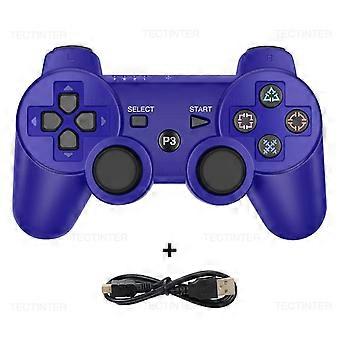
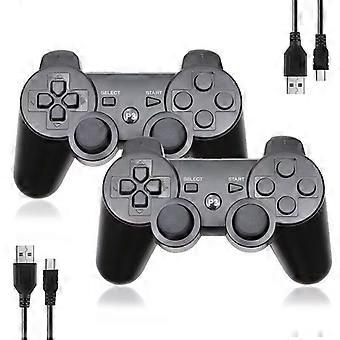
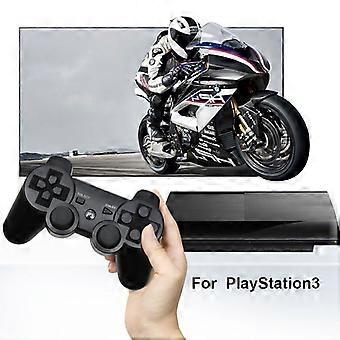
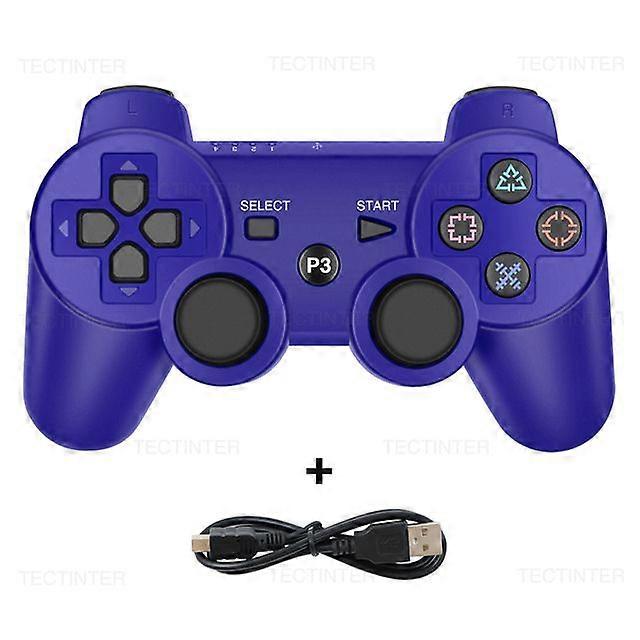
compatible withSONY PS3 Controller Support Bluetooth Wireless Gamepad compatible withPlay Station 3 Joystick Console forPS3 Controle compatible withPC
G11 PRO RETRO VIDEO GAME CONSOLE
This game console built in 30000/40000 Games, support 4K TV. Support 29 languages, include English/Russian etc. Equipped with two / Four 2.4G gamepad, support up to 1-4 Player at the same time, enjoy the game on the sofa with your family or friends.
Wireless Controller For Switch
This game controller works compatible Nintendo Switch, TV-BOX, for IOS ,for PC, Android Tablet Devices. The controller is equipped with Dual Vibration and 6-axis gyro sensor, this controller can detect the inclination of the controller and make a quick response, give you more fun while playing motion sensing games.
Wireless Bluetooth Controller For PS4/PS4 Slim/Pro
This wireless bluetooth controller is full compatibility with PS4 and PS4 Pro .Newest interchangeable button design for PS4 wireless controller can swap left joystick and D-pad to suitful your hands. Also has turbo and programming button function.Just use it and enjoy your game !
Item Description:
Support Bluetooth Wireless Controller
For PS 3 wireless controller utilizes support Bluetooth technology for wireless game play, and the controllers USB cable to seamlessly and automatically charge the controller through for Play Station 3 system at anytime. Superior automatic connection. The use of high-performance chips, the gamepad in the game has a better stability, high-precision 360° Rockers, the delay is almost zero, support all kinds of android devices. With the human body curve design, you won"'"t feel tired even if you are addicted to the game for a long time! It also support for PC win7/8/10, but you need the cable to connect.
How Do You Sync with PS3?
1:You can use mini USB cable to activate the controller when it is put into use for the first time.
2: Connect the controller with your console, press the Home button and pull out the cable. Then you can use it wireless.
3:If it still does not work, you restart it or charge it.
4:If above methods failed, put a needle into the mini hole at the back of the controller and press the button to reset it.
How to turn on/off?
The PS3 controller will start when you press the round button or connect with computer by date cable. It will turn off when it takes 5 minutes after it is disconnected.
If it can not stop working after a long time, please plug the data cable in computer then pull it out, thus it will be power off.
How To Charge the PS3 Controller?
1:Connect the console to the PS3 by the USB cable.
2:The red light on ps3 controller will be flashing when charging;the red light will turns off when fully charged.
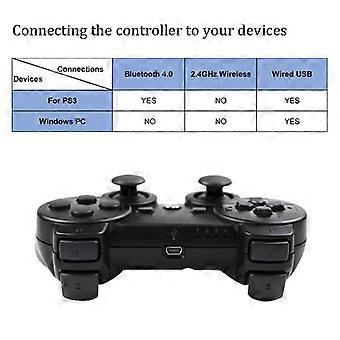
Multiple Connection Methods
This controller is compatible with multi-platform games.
Support Bluetooth technology so you can connect to ps3 console wirelessly without delay.
It can be used for laptops/PC win7/8/10 with charging cable.
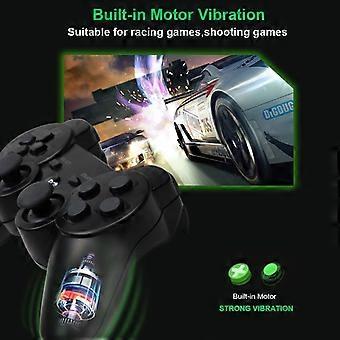
Built-in Vibration
Built-in vibration motor for this gamepad, so that you can experience the joy of the game better! Strong vibration
-
브랜드:
Unbranded
-
카테고리:
게임 컨트롤러
-
색상:
Blue
-
Fruugo ID:
210463301-448622921
제품 안전 정보
아래에 설명된 이 제품과 관련된 제품 안전 정보를 참조하십시오.
以下の情報は、この製品を販売する独立したサードパーティ小売業者によって提供されています。
제품 안전 라벨

안전 경고:
important Safety Instructions Read Before Use: Please read all instructions and safety warnings before using this product. Failure to follow these guidelines may result in injury, damage, or malfunction. General Warnings Intended Use: Use this product only for its intended purpose as described in the user manual. Supervision Required: This product is not intended for use by children or persons with reduced physical, sensory, or mental capabilities without supervision. Inspection Before Use: Check for any signs of damage or wear before use. Do not use if damaged. Usage Precautions Environment: Do not use in wet, damp, or flammable environments unless specified as safe for such conditions. Proper Operation: Follow all operating instructions carefully. Avoid improper handling or misuse. Power Source: Use only the recommended power supply or batteries. Do not exceed specified voltage or current ratings. Maintenance and Care Cleaning: Disconnect from power before cleaning. Use only manufacturer-recommended cleaning methods and solutions. Storage: Store in a cool, dry place away from direct sunlight and extreme temperatures. Repairs: Do not attempt to disassemble or repair the product. Contact authorized service personnel for assistance. Specific Warnings Avoid Hazards: Keep the product away from sharp objects, water, and heat sources. In Case of Malfunction: If the product malfunctions or exhibits unusual behavior, discontinue use immediately and contact customer support. Disposal Instructions Recycling: Dispose of the product in accordance with local electronic waste disposal and recycling guidelines. Battery Disposal: Follow specific regulations for the safe disposal of batteries if included.