설명
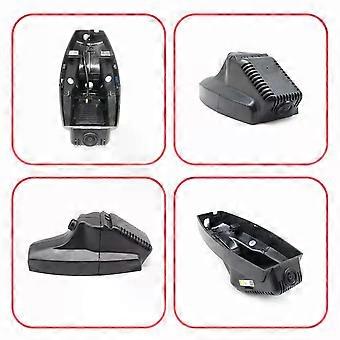
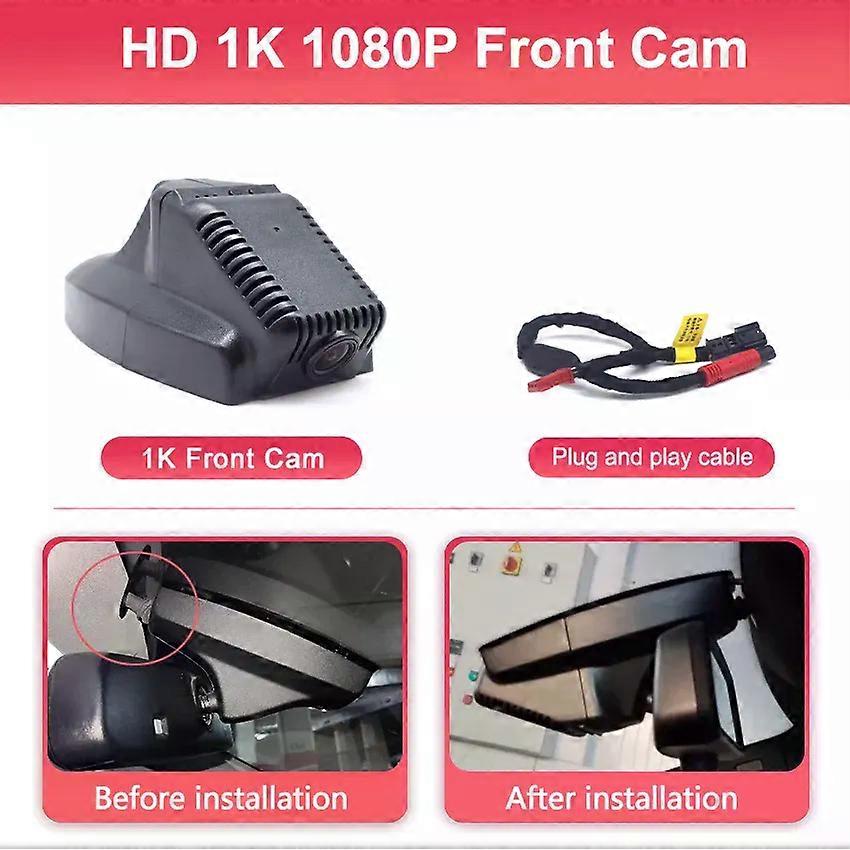
Car DVR Wifi DVR Video recorder dash cam For BMW 320i e46 e90 e91 e92 e30 530i f10 e39 e34 e36 x1 e84 x5 e70 e53 e87 Dashcam 4K
Specifications
High-concerned chemical:None
Aperture:1.6
Power Source:Corded Electric
APP Compatibility:Yes
Built-in Screen:No
Loop-Cycle Recording Feature:Yes
Audio Recorded:No
NightShot Function:Yes
Rear Camera:Yes
Original Package:Yes
Touch Screen:No
Screen Ratio:None
Memory Card Required Reding Speed:Class 10
View angle:170°
Camera Resolution:3840x2160
Video Code:H.264
Video Format:TS,MP4
Is Batteries Included:No
Special Features:G-Sensor,motion detection,sd/mmc card,Waterproof,Anti Vibration,Real Time Surveillance,Wide Dynamic Range,wifi function
Max External Memory:128G
Number Of Lenses:1
Pixels:800Mega
OSD Language:Belarusian,Chinese (Simplified),Chinese (Traditional),Dutch,English,Finnish,French,German,Japanese,Korean,Polish,RUSSIA,Russian,Spain's Basque,Spanish,Swedish,THAI,Turkish,Ukrainian,Vietnamese
Battery:None
Assembly Mode:Hidden Type
Chipset Manufacturer:NOVATEK
Frames Per Second:30
Brand Name:CARBAOHUI
Origin:Mainland China
Item Type:Car DVR
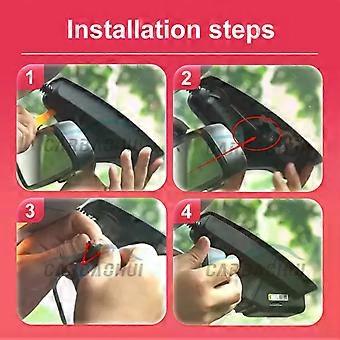
Installation::Car reading lights get electricity.New Plug and play
Plastic::ABS
Lens::4K: Novatek 96670+ SONY MX307 2160p
Special Features::lntelligent anti-shake
Pixel::1K 1080P,2K 1600P, 4K 2160P Dash Cam
Fit::For BMW 320i e46 e90 e91 e92 e30 530i f10 e39 e34 e36 x1 e84 x5 e70 e53 e87
Note: Please tell us the model and year and send us the mirror cap pictures for fast and accurate delivery.The title link model year is suitable for 96% of cars, just for reference.
Installation steps
1080P Rear Camera(For 4K Dual Cam Version)
Function/Advantages
4K UHD Hoge resolutie
UHD 4K-video Gecombineerd met een geavanceerde Novatek-chip + f/1.6 lens met groot diafragma.
APP Connection
Built-in 2.4GHZ high-speed WIFI module, turn on the mobile APP to view and download videos in real time, take pictures and other functions via free WIFI, and you can also directly operate the recorder through the mobile phone.
Loop-opname en G-sensor
Naadloze lusopname overschrijft automatisch de oudste beelden met nieuwe inhoud wanneer de geheugenkaart vol is.Terwijl de G-Sensor een plotselinge botsing kan detecteren, slaat u de relevante beelden op en vergrendelt u deze in het bestand.Houdt u uit de buurt van geschillen.
Groot dynamisch bereik
WDR verbetert de beeldhelderheid aanzienlijk door ruis te verminderen en de belichtingsbalans aan te passen, zorgt voor heldere opnames in helder en donker licht en legt een high-definition, realistisch beeld vast.
Intelligente anti-shake
Warm and Important Tips
Problem 1:
App cannot save settings (default settings are restored after reboot)
Solution:
After setting the App, please press and hold the power button of the camera to turn off the camera, then press the power button briefly to turn on the camera.
Problem 2:
APP video file is empty, no video is loaded.
Solution:
1.Please open the App settings to format the memory card and then record the video.
2.If the App album still has no video, please insert the memory card into a computer, check whether the memory card is damaged, or not compatible with the camera, if so you need to replace the memory card.
3.It is recommended to use Class10 specification SanDisk/KIOXIA/Samsung memory cards of 32GB or 64GB capacity. (Maximum size supported is 128GB)
Problem 3:
Why doesn't my computer play the videos? Or why is the playback video not smooth?
Solution:
1.We recommend the use of PotPlayer and KMplayer players.
2.If the computer configuration is too low, it may cause the playback to not be smooth, especially for 4K resolution videos.
Problem 4:
Why can't you connect 2 phones at the same time?
Solution:
WiFi only supports connecting one phone at the same time; if another phone needs to be connected, you must first disconnect the WiFi of the first phone.
Problem 5:
Why is the timestamp of the video wrong, or there is no recorded video during some time periods, or there is video when the phone is connected, but no video when the phone is not connected?
Solution:
Please check if the timestamp error is caused by a complete power failure of the camera. After car repair, maintenance or battery replacement, you need to reconnect the camera's WiFi with your phone to synchronize the camera's time with your phone's time. Please regularly check that the camera is working properly.
Problem 6:
What should I do if I forget the WiFi name or password? Solution: Press and hold the camera key for 20 seconds, or use a paperclip to press the reset button.
Problem 7:
Do I need to connect the camera WiFi and open the App every time I drive?
Solution:
No need, the camera is automatically turned on and off. The camera will automatically turn on when the car is on and turn off when the car is off.
Problem 8:
What should I do if I can't find the WiFi?
Solution:
1.First, remove t
-
브랜드:
Unbranded
-
카테고리:
자동차 후방 카메라
-
색상:
1K Front Cam
-
크기:
No TF card
-
Fruugo ID:
458320875-965854484
-
EAN:
101454699892