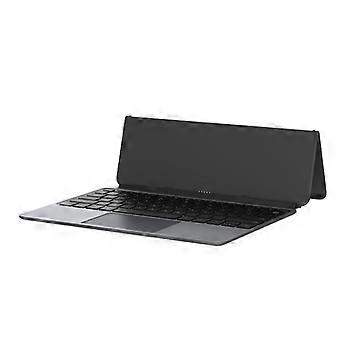
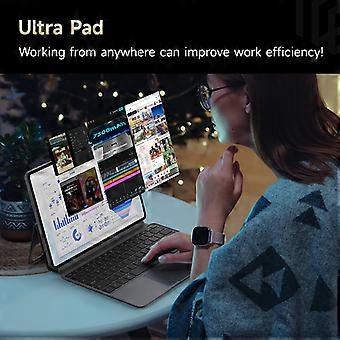
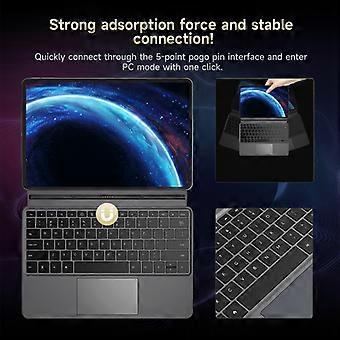
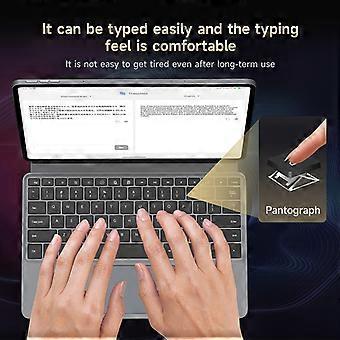
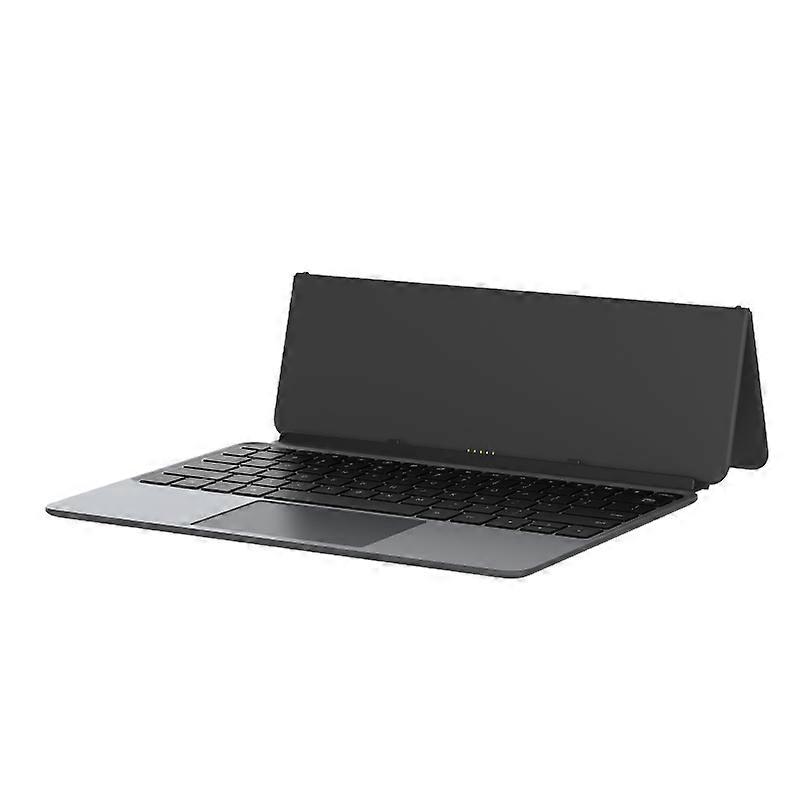
Alldocube Keyboard For Ultra Pad

₩155,690
무료 배송

Alldocube Keyboard For Ultra Pad

  • 브랜드: Unbranded
판매자::

Alldocube Keyboard For Ultra Pad

  • 브랜드: Unbranded

₩155,690

할인 ₩38,900 (19%)

권장소매가

₩194,590
재고 있음
무료 배송

14일 반품 정책

판매자::

₩155,690

할인 ₩38,900 (19%)

권장소매가

₩194,590
재고 있음
무료 배송

14일 반품 정책

결제 방법:

설명

Alldocube Keyboard For Ultra Pad

Alldocube Keyboard For Ultra Pad Important Note: If you have any questions, or if there are any problems with the package you received, please contact us through Aliexpress chatting as soon as possible. We have professional customer service staff and technical support, and we will try our best to assist you in solving the problem. Your understanding would be highly appreciated. Note: 1.Only the keyboard is included, not the tablet. 2.This keyboard is only compatible with Ultra Pad. Please purchase it according to your own needs. Keyboard instructions 1. Keyboard OTA upgrade The U1380 official keyboard is ALLDOCUBE/x27;s first keyboard that can be upgraded online via OTA. When the keyboard is pushed for an upgrade, it will automatically pop up a window to prompt that the keyboard is in the process of upgrading after being connected to the tablet. The upgrade takes approximately 1 to 2 minutes to complete. If there is an unsuccessful upgrade, the next time the keyboard is connected, it will remind you to upgrade again. After connecting the keyboard to the tablet, you can check the keyboard version in Settings - System Settings - Keyboard - Keyboard Firmware Version. This function will only be displayed after the keyboard is connected. It is not displayed normally. The current firmware version is 1.05 2. Keyboard language and layout switching Due to the different keyboard language usage habits in each country, it is necessary to make Settings before officially using the keyboard. The Settings are very simple and only require a few steps. 1. Open the tablet Settings APP and find the System Settings option. 2. System Settings > Language > Put the language you want to use first. Iii. System Settings > Keyboard > Physical Keyboard > uart_dock > Multilingual Settings > Select Your language. 4. System Settings > Keyboard > On-Screen Keyboard > Gboard > Language > Select Your Language > Select the keyboard style you want (it is very important to be consistent with the style of your keyboard film) - Go back. 5. Open a dialog box that allows input > Long press the space bar > On the page that pops up, select your language to complete the Settings. 3. Disable/Enable the touchpad function The ⌘/P key combination turns the touchpad function off/on. Pressing this key combination will prompt the tablet 4. The keyboard functions are mainly available in tablet mode. Some key combinations are not available in computer mode.
  • 브랜드: Unbranded
  • 카테고리: 키보드
  • 스타일: Keyboard
  • Fruugo ID: 458026653-965124651
  • EAN: 6942755935319

배송 및 반품

3일 이내에 발송됨

  • STANDARD: 무료 - 배달 사이 수 28 1월 2026–목 05 2월 2026 - 무료

중국에서 발송.

당사는 귀하께서 주문하신 제품이 주문 명세에 따라 빠짐없이 배송되도록 온 힘을 기울이고 있습니다. 다만, 주문하신 것과 다른 상품이 배송되거나 빠진 상품이 있는 경우, 또는 주문 내용에 만족할 수 없는 다른 이유가 있는 경우에는 주문 전체나 주문에 포함된 일부 제품을 반품하시고 해당 상품에 대해 전액 환불받으실 수 있습니다. 전체 반품 정책 보기

製品コンプライアンスの詳細

以下に概説されているこの製品に固有のコンプライアンス情報を参照してください。

以下の情報は、この製品を販売する独立したサードパーティ小売業者によって提供されています。

제조사:
다음 정보는 Fruugo에서 판매되는 관련 상품의 제조사 연락처입니다.

  • Hangzhou Zichi Network Technology Co., Ltd
  • Hangzhou Zichi Network Technology Co., Ltd
  • Room 205, Building 3, No. 1866, Binxing Road
  • Changhe Street, Binjiang District
  • Hangzhou
  • China
  • 310000
  • 18758862577@163.com
  • 15158876167

EU 내 책임자:
다음 정보는 EU 내 책임자 연락처입니다. 책임자는 유럽 연합에서 판매되는 관련 상품에 대한 준수 의무에 책임을 지는 EU에 기반을 둔 지정 경제 주체를 말합니다.

  • Universal International business SARL
  • Universal International business SARL
  • 254 Rue Vendome 69003 Lyon
  • Lyon
  • France
  • 69003
  • Leroy.Holliana@outlook.com
  • 33773332462