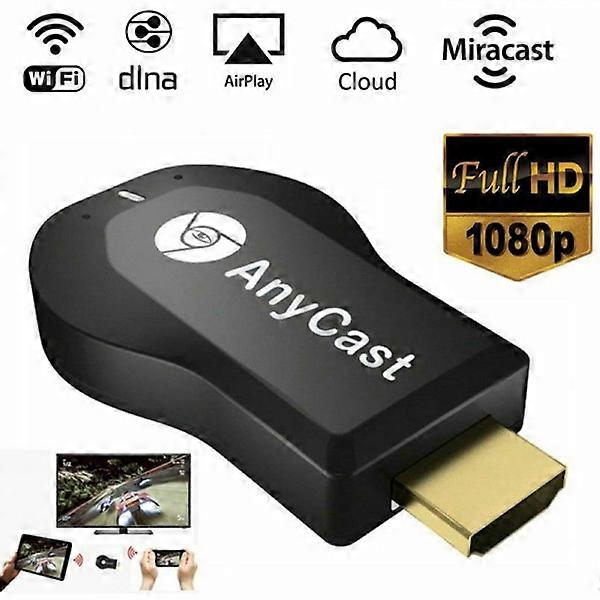
4K AnyCast M2 Plus WiFi Display Dongle HDMI Media Player

₩34,190
+ ₩10,599 배송

4K AnyCast M2 Plus WiFi Display Dongle HDMI Media Player

  • 브랜드: Unbranded

4K AnyCast M2 Plus WiFi Display Dongle HDMI Media Player

  • 브랜드: Unbranded
희망소매가격: ₩68,290
가격: ₩34,190
절약 금액: ₩34,100 (49%)
판매자::
₩34,190
+ ₩10,599 배송

재고 있음

14일 반품 정책

결제 방법:

설명

4K AnyCast M2 Plus WiFi Display Dongle HDMI Media Player

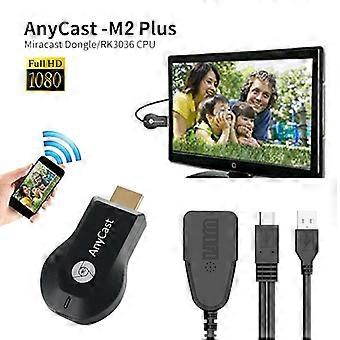
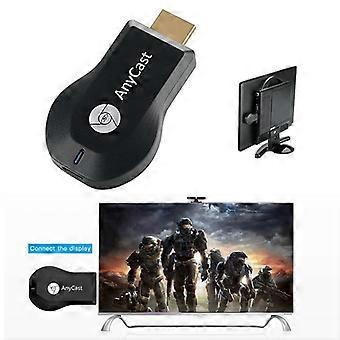
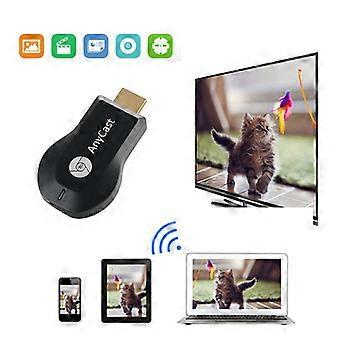
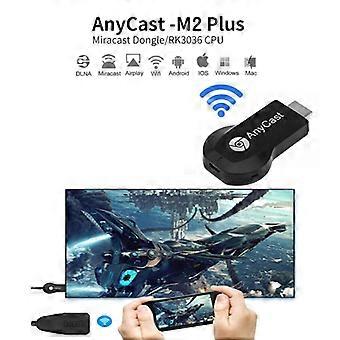
Features: No APP installation required and supports one-button switching, simple and convenient to use Ultra-low power consumption and low heat Compact portable design for easy carrying Supports IOS / Android / operating systems Fantastic sharing and performance for your video, excel, PPT, PDF and other files Suitable for projectors, smartphones, tablets, laptops, ultrabooks, etc Connections: HDMI, USB Decoding Ability: 1080P (Full-HD) Operating System: Android Type: High Definition Color: Black Product Size (L x W x H): 6.50 x 3.50 x 1.50 cm / 2.56 x 1.38 x 0.59 inches Display the image after the product is placed on the TV. The upper left corner of the image displays IP, a pattern used by Apple The upper right corner of the image displays IP When you close the IP, it becomes Android mode - phone connection FAQ Q1: No reaction after connection, no display? 1) Confirm whether the power is normal, use 5V 2A external power, the product indicator light is red after the power is turned on, if the indicator does not light up, replace the USB power. 2) If the product starts normally (the indicator light is red), check whether the input signal source on the display has selected the corresponding HDMI mode. Q2: The smartphone (Android/IOS) cannot display the same thing as the large device after connection? 1) Check whether you are selecting the correct mode, the product supports iPhone 4 or later, Should choose Airplay/DLNA mode for the wireless display receiver to connect. If it is an Android phone (supports Miracast the same, different brands of Android phones have different names and icons for Miracast the same function), select the wireless display receiver Miracast mode to connect. The wireless display has a mode switch button, press it once to switch Airplay or Miracast. 2) For iPhone, it needs to connect to the WIFI hotspot for the wireless display receiver (SSID and code will be displayed), then complete the same connection. Android phone can connect directly under Miracast mode. Q3: Products cannot connect to systems devices, cannot be the same when watching youtobe, Netflix video? 1) This product only supports Android/IOS systems, the system is temporarily incompatible. 2) This product only supports YouTube and Netflix web version video playback, can temporarily not support the above APP client with playback Package Contents: 1 x Wireless Wi-Fi Display Dongle Receiver, 1 x 2 in 1 WiFi USB Cable, 1 x English User Manual
  • 브랜드: Unbranded
  • 카테고리: 녹화기
  • Fruugo ID: 399674326-850884701
  • EAN: 6903089509348

제품 안전 정보

아래에 설명된 이 제품과 관련된 제품 안전 정보를 참조하십시오.

以下の情報は、この製品を販売する独立したサードパーティ小売業者によって提供されています。

제품 안전 라벨

CE Mark
안전 경고: Not suitable for children under 36 months
재료: Plastic 5%

배송 및 반품

24시간 이내에 발송됨

  • STANDARD: ₩10,599 - 배달 사이 월 05 1월 2026–화 13 1월 2026

중국에서 발송.

당사는 귀하께서 주문하신 제품이 주문 명세에 따라 빠짐없이 배송되도록 온 힘을 기울이고 있습니다. 다만, 주문하신 것과 다른 상품이 배송되거나 빠진 상품이 있는 경우, 또는 주문 내용에 만족할 수 없는 다른 이유가 있는 경우에는 주문 전체나 주문에 포함된 일부 제품을 반품하시고 해당 상품에 대해 전액 환불받으실 수 있습니다. 전체 반품 정책 보기

製品コンプライアンスの詳細

以下に概説されているこの製品に固有のコンプライアンス情報を参照してください。

以下の情報は、この製品を販売する独立したサードパーティ小売業者によって提供されています。

제조사:
다음 정보는 Fruugo에서 판매되는 관련 상품의 제조사 연락처입니다.

  • DIMEANI10
  • Wenzhou Xianrui E-commerce Co., Ltd.
  • 1020, 10th Floor, Wenzhou Premium Agricultural Products Exhibition and Sales Center Building,
  • Zhejiang Southern Agricultural and Sideline Products Center Market (Area 4)
  • Wenzhou
  • CN
  • 325029
  • smarthomebrand@outlook.com
  • 8619146916074

EU 내 책임자:
다음 정보는 EU 내 책임자 연락처입니다. 책임자는 유럽 연합에서 판매되는 관련 상품에 대한 준수 의무에 책임을 지는 EU에 기반을 둔 지정 경제 주체를 말합니다.

  • E-CrossStu GmbH
  • E-CrossStu GmbH
  • Mainzer Landstr.69
  • 60329 Frankfurt am Main
  • Hessen
  • DE
  • 60329
  • E-CrossStu@web.de
  • 69332967674